logo_ispring

iSpring Converter Pro 11 Features

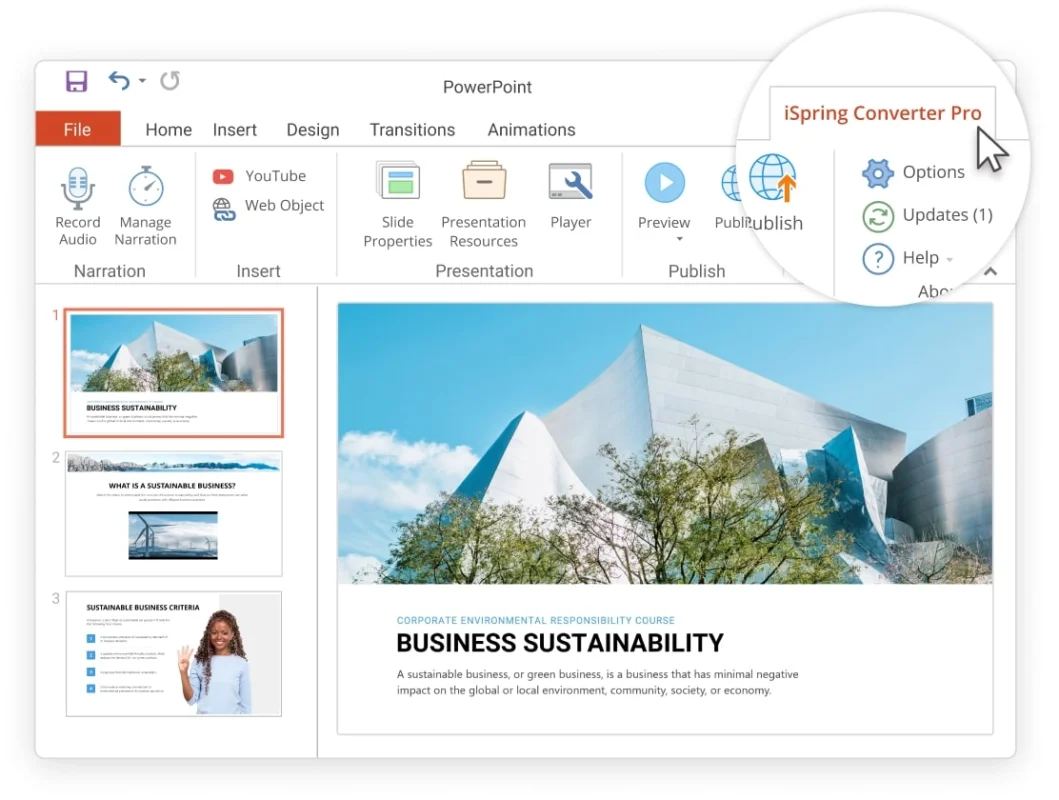
Fast, high-quality conversion of PowerPoint presentations of any complexity.

Convert PowerPoint to HTML and MP4 Video

MP4

PowerPoint to HTML5

You can flawlessly convert your PowerPoint presentations to an HTML5 format. Thanks to best-in-class HyperPoint technology, all effects and transitions will be preserved across any device.

PDF

PowerPoint to MP4

Convert your slides to an MP4 video to upload it to YouTube or Vimeo. PowerPoint effects will remain intact in your video, as well as audio or video narrations you’ve added to your slides.

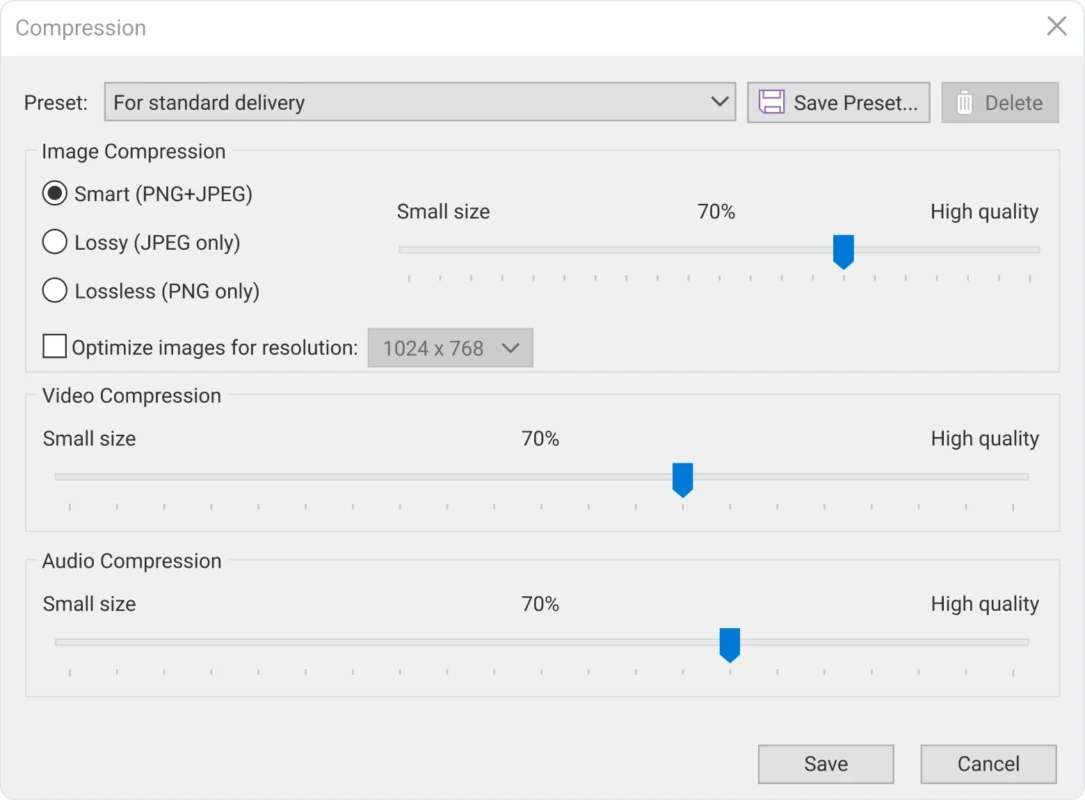
Output file size management

You can use the standard conversion settings, which are ideal for most presentations. Or, if you want to reduce the size of the output file, you can adjust the compression settings for images, video and audio inserted into the presentation.


Create Accessible Presentations that is Adaptive to Any Device

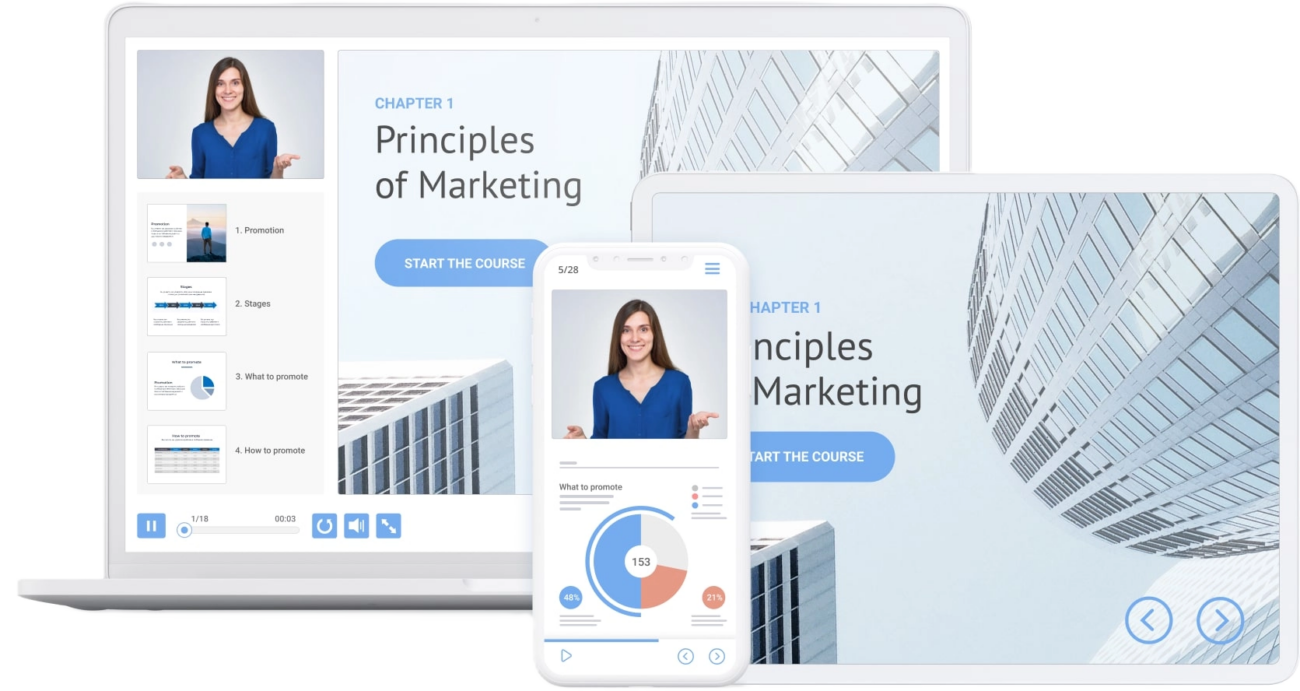
Presentations converted with iSpring Converter Pro are ready for viewing on any device:

Windows

Windows PC

Apple Mac

iPad

iPhone

Android Tablet

Android Phone

Adaptive Design

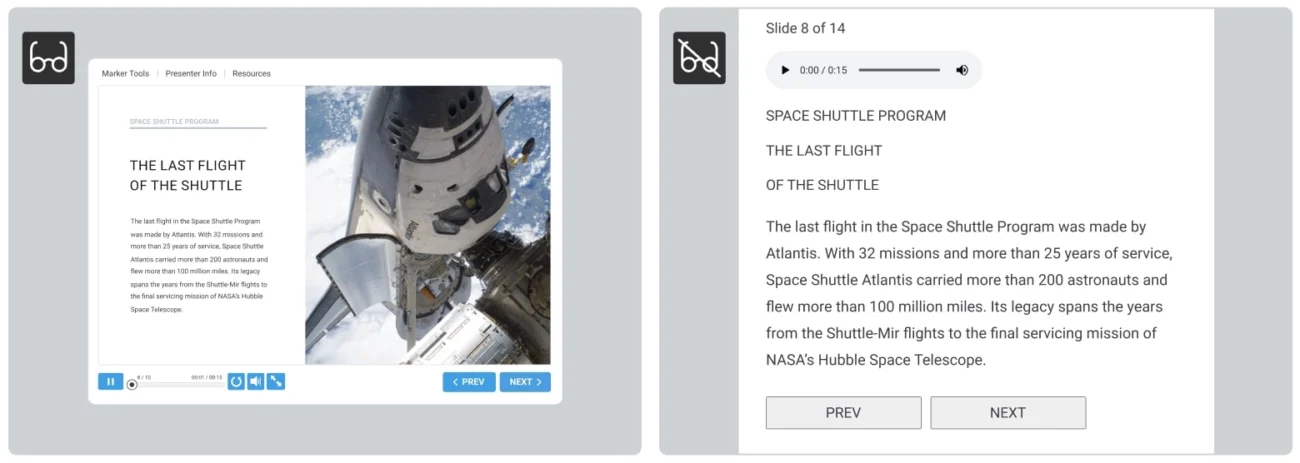
Convert your presentation just once, and it will look great on any device. There are three players built into every converted presentation: a desktop/laptop player, a tablet player, and a smartphone player. Each player’s navigation elements (buttons, progress bar, etc.) will adjust to the screen size of the device.

Preview Mode

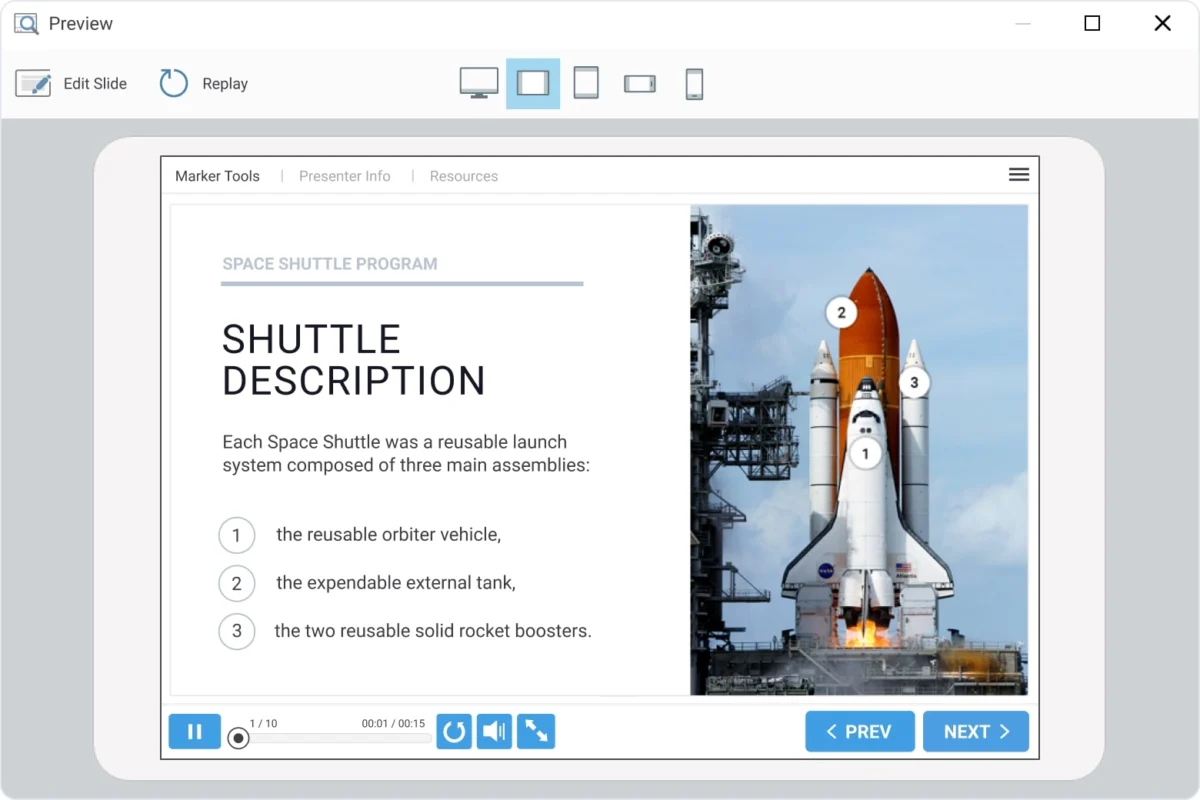
To make sure your presentation plays well on any device, iSpring Converter Pro includes a preview function for different screen sizes. With this function, you can ensure that your presentation will be correctly displayed on smartphones, tablets, and notebooks after conversion.

Section 508 and WCAG 2.1 compliance

Convert your PPT slides into online presentations for those with disabilities. In a single click, your viewers can switch a presentation to accessibility mode that has a high-contrast design and works perfectly with screen readers.

Enhance Your Presentation

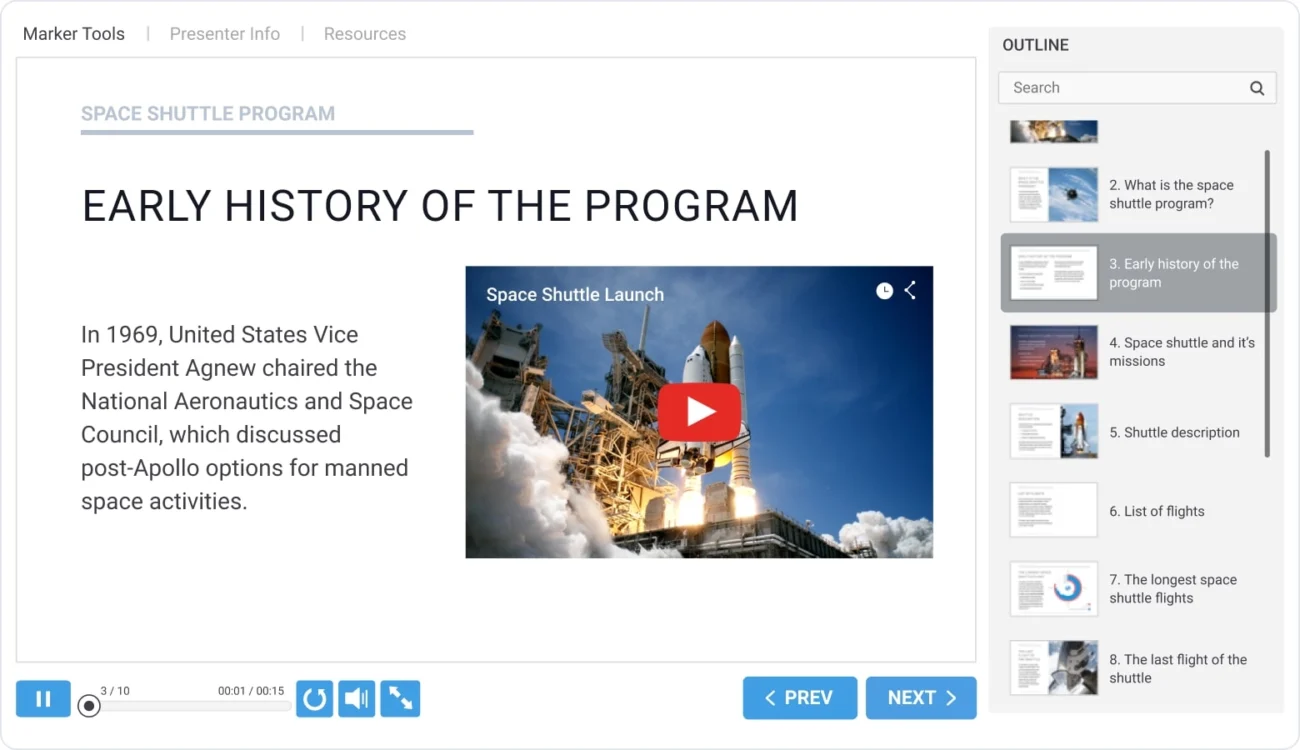
Use video on your slides, including YouTube and Vimeo

Insert any video from the Internet onto your slides: for example, YouTube or Vimeo.

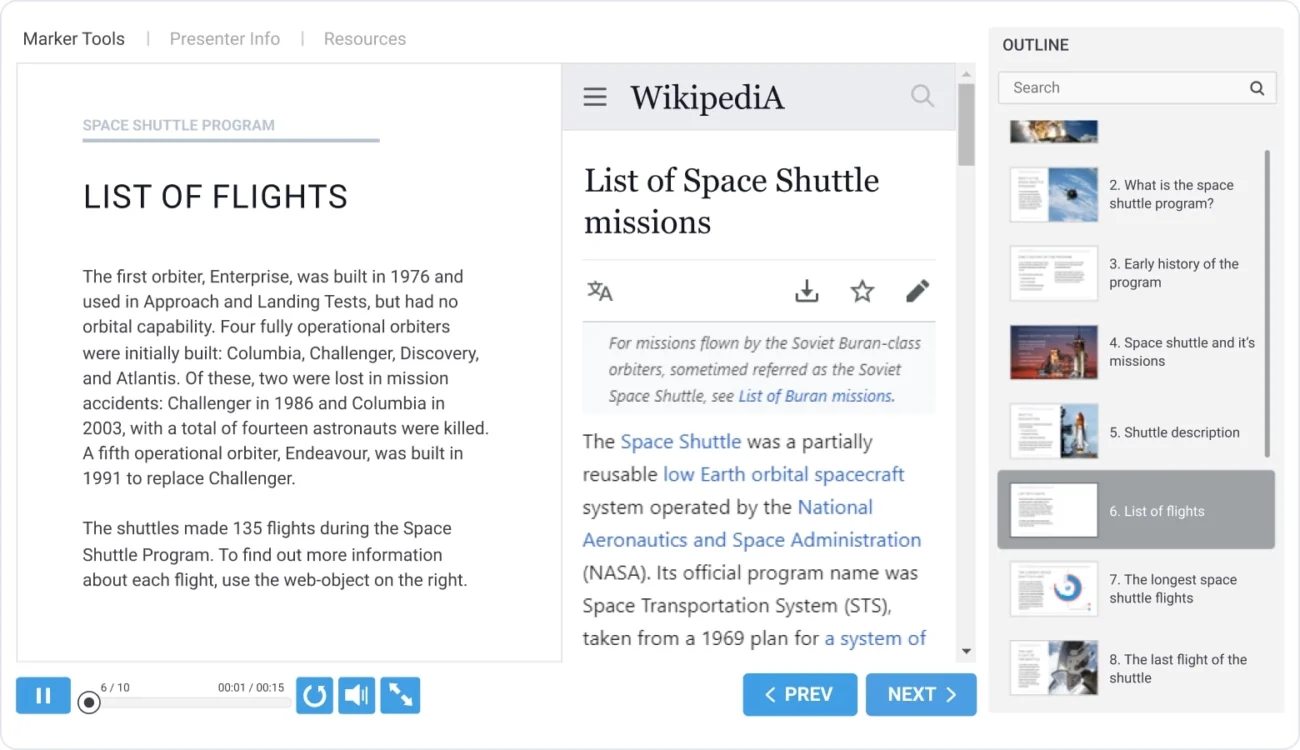
Add live, interactive web pages

Add webpages to your presentation that can be viewed directly on the slides, or opened in a separate browser window.

Amplify your presentation with a customizable player

With the Universal Player, your presentation won't be just naked slides: your viewers will have access to navigation features, information about your company, drawing tools, and more.

Attach Files and Links

Add additional resources to your presentation, like web links or document files in .pdf, .xls, or .jpg format. The list of documents will appear in a pop-up window with a single click.


Table of Contents

iSpring Converter Pro lets you add a separate panel to your presentation with a table of contents. You can choose where it will be displayed, enable or disable the search function, show slide numbers, and highlight viewed slides.

Custom Navigation Elements

Fine-tune all the navigation elements for your presentation: enable or disable the seek bar, configure navigation buttons and volume control, and localize all button labels and dialogs to your preferred language.

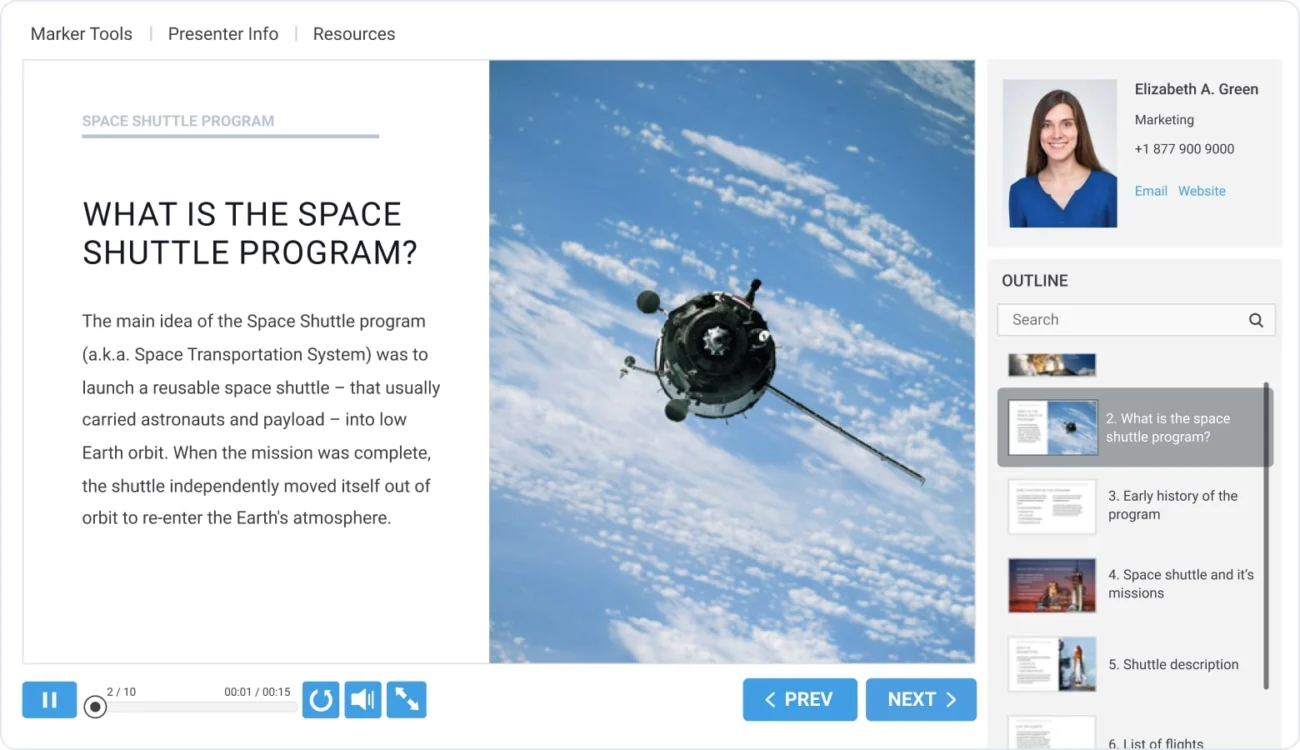
Presenter Information

Enter some details about each presenter: name, position, email, phone, photo, and the name, logo, and website of the company they work at. This information can be displayed by clicking a button on the top panel, or placed in the sidebar of the presentation.

Custom Color Scheme

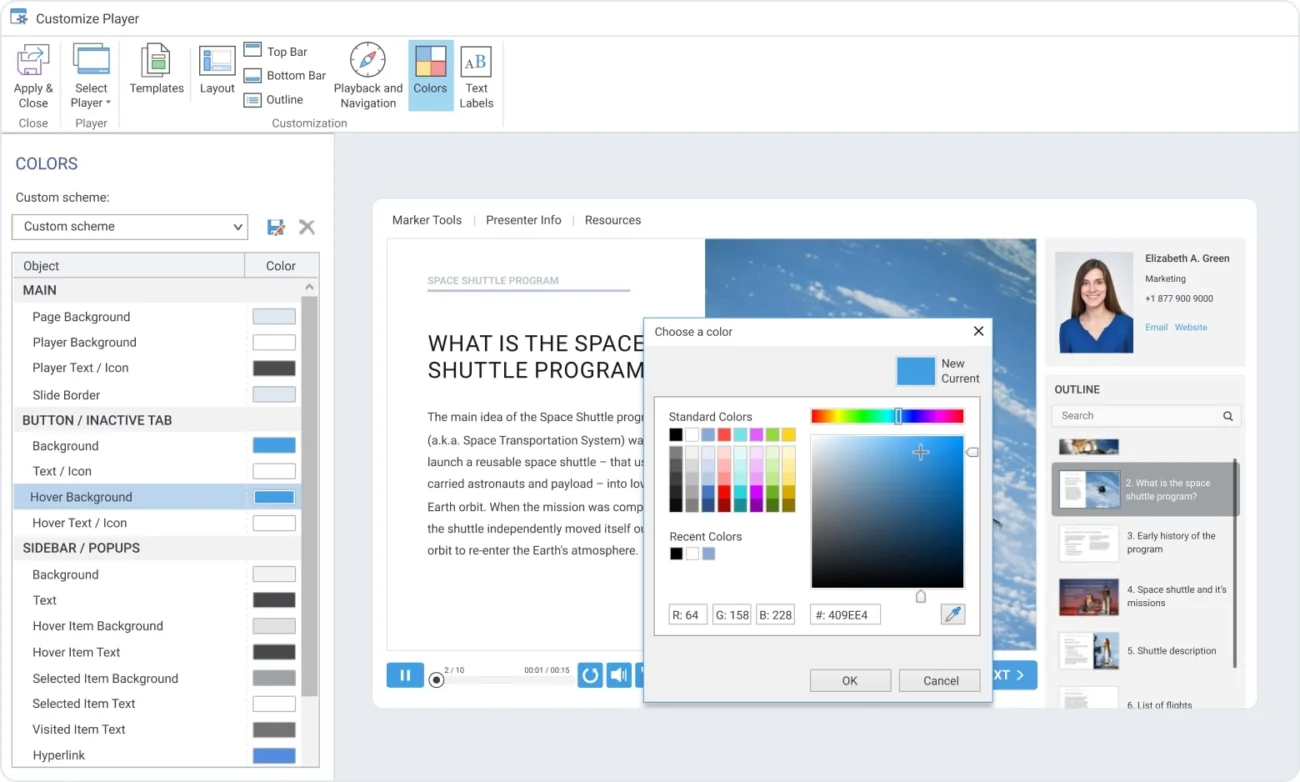
Configure the colors which will be used in your presentation player. iSpring Converter Pro offers a full library of ready-made color schemes, and also lets you create your own custom color scheme and save it for future use.

Markup Tools

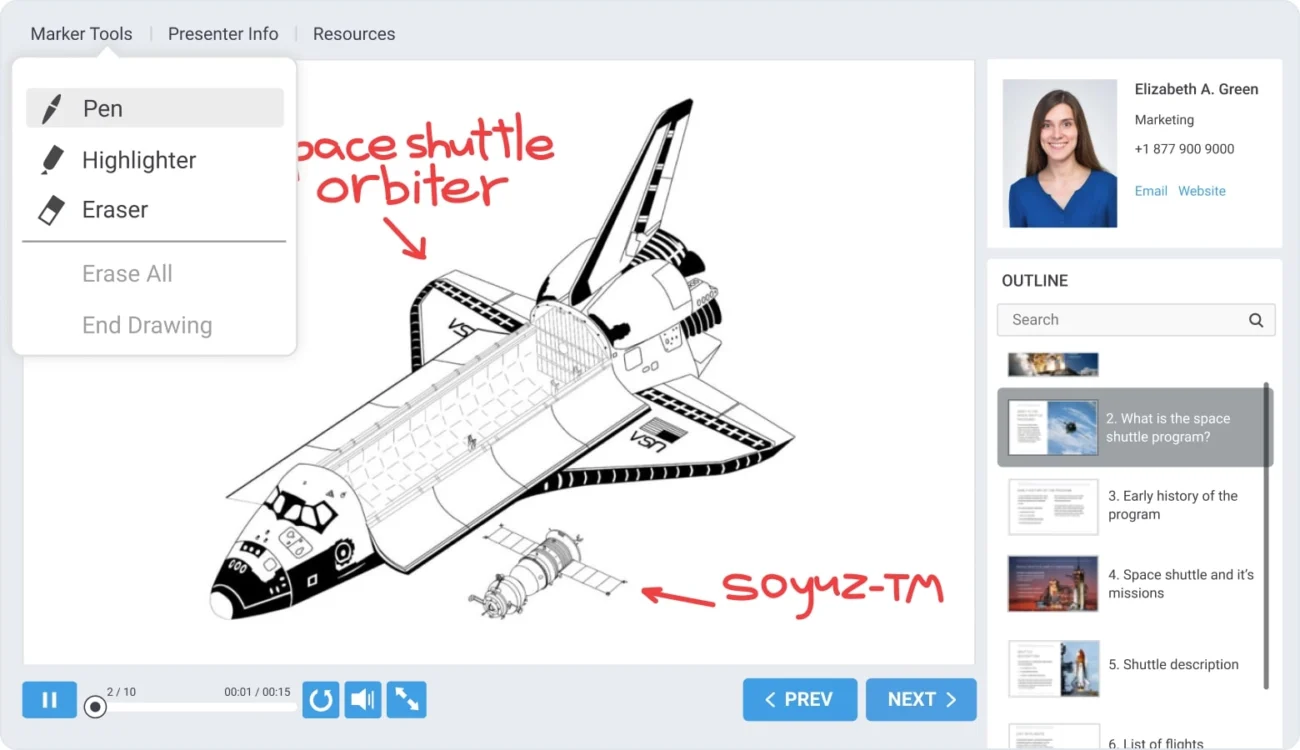
To highlight the important moments of your presentation, you can use drawing tools (pen, highlighter and eraser) which are accessible when you view your converted presentations.

Manage Presentation Structure

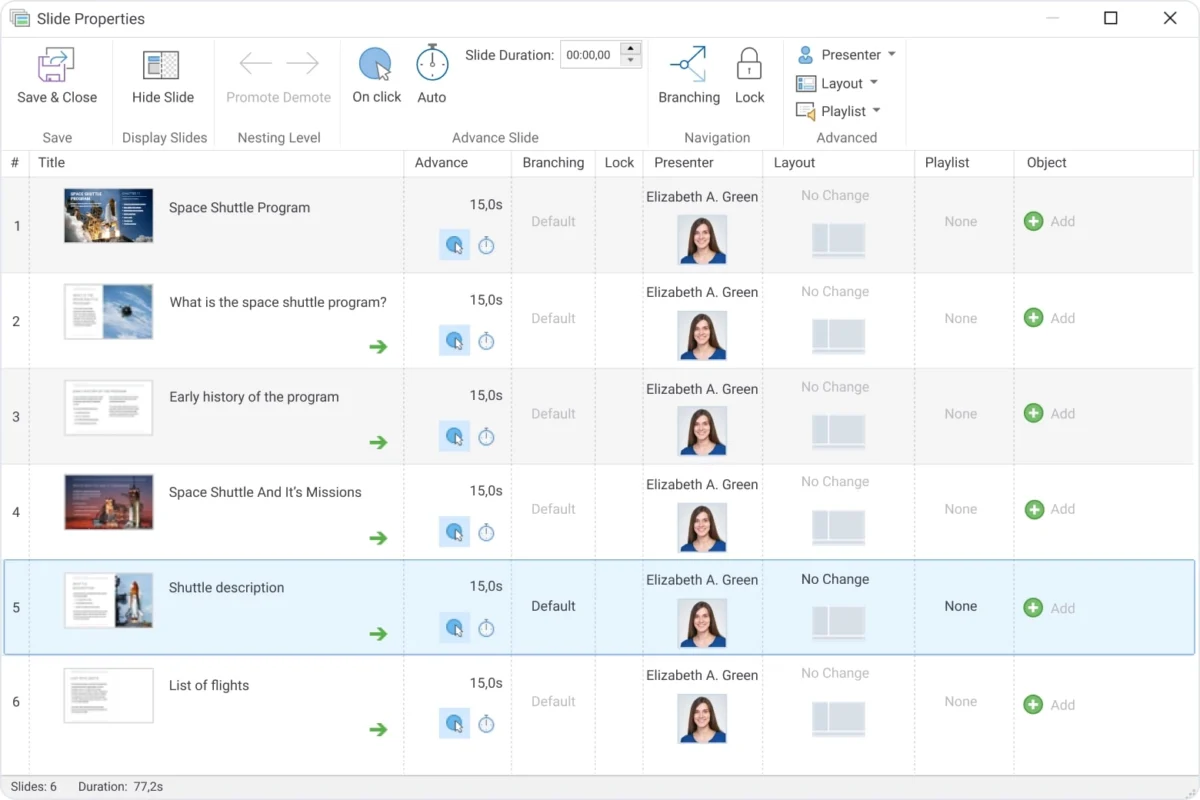
iSpring Converter Pro provides convenient functionality for presentation management. Arrange slides into a hierarchy, specify slide duration, and configure detailed navigation through your slides, including branched scenarios.

Protect Your Presentation from Unauthorized Access

Watermark your Slides

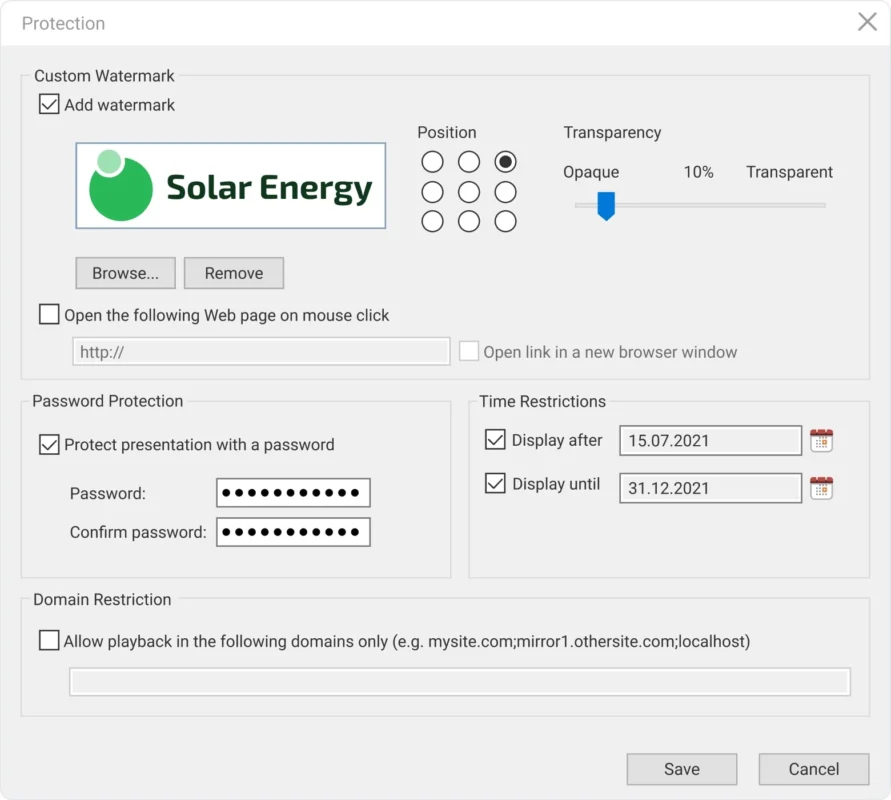
iSpring Converter Pro lets you add a watermark on your slides. Just select an image from your computer, choose a location for it on your slides, and set the transparency. You can also choose a webpage to redirect the user for when they click on it.


Set a Passcode

If you would like to restrict access to your presentation, you can create a password and give it out to a select group of people. When anyone opens your presentation, it will first prompt them to enter the password.


Restrict Access with Time

iSpring Converter Pro lets you set a time interval in which the published presentation will be available for viewing. Just select a start date and/or end date, and users will only be able to view your content between those dates.


Limit your Presentation Reach

To protect your presentations from unauthorized distribution, you can limit the number of domains and subdomains on which your presentation can be played. If someone tries to upload your presentation to a non-sanctioned domain, an error message will be shown when it is opened.

Easily Publish your Presentations

Publish for the Web

Publish presentations in the HTML5 format to make them available from any device. After conversion, you can also upload your presentation to your blog or website via FTP.

   
LMS

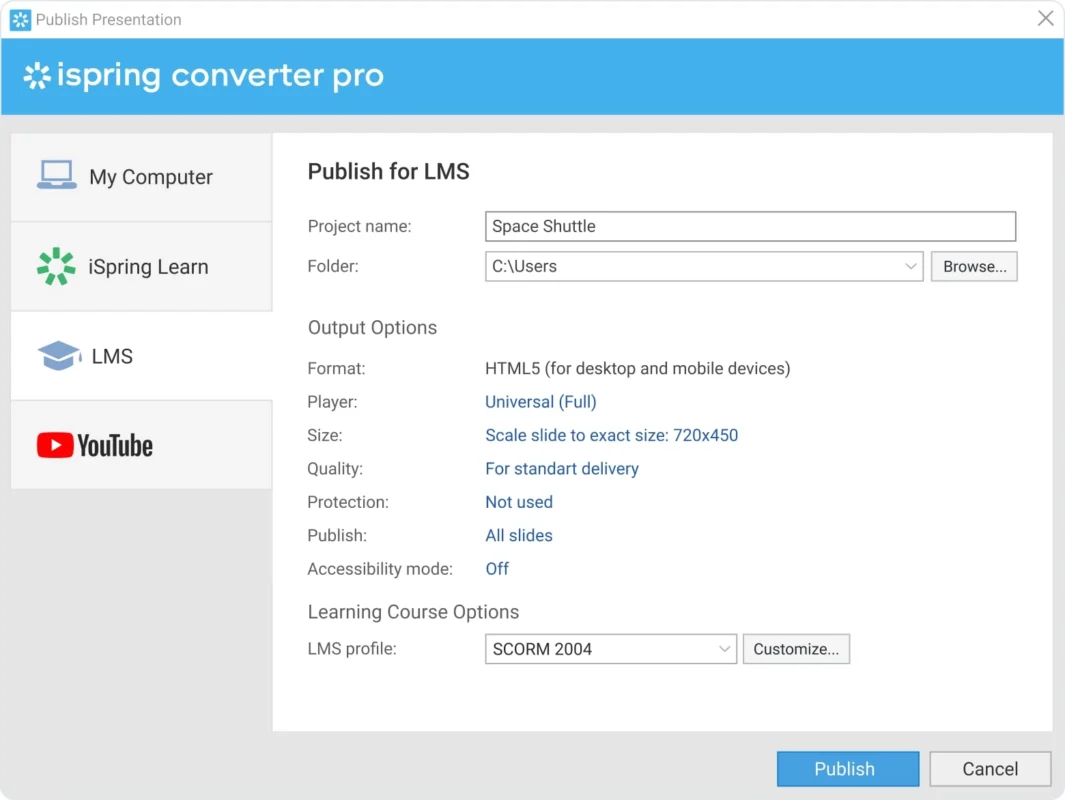
Publish to an LMS

Make your course ready for uploading to virtually any LMS. iSpring supports all modern eLearning standards: SCORM 2004, SCORM 1.2, xAPI (Tin Can), cmi5, and AICC.


Publish to YouTube

Convert your presentations to MP4 videos and upload them to your YouTube account directly from iSpring Converter Pro.

  
Icon

Publish to iSpring Learn

Upload your presentations to the iSpring Learn LMS directly from PowerPoint. Simply log in to your LMS account and publish your course to the LMS with just one click.

iSpring Converter Pro

Start your free 14-day trial today or purchase in our shop! Start converting your presentations to HTML5.