
The C# Document Library Company












engineers in 95+ countries




Generate, edit, and secure PDFs in .NET without broken rendering, or deployment headaches
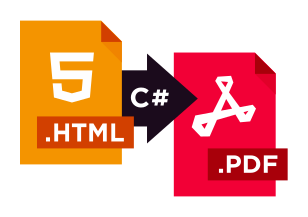
IronPDF is the leading C# PDF library for generating & editing PDFs. Its user friendly API allows developers to rapidly deliver professional, high quality PDFs from HTML in .NET projects.
The PDF should look like the page you built. Six things IronPDF was engineered to get right.

- Chromium-grade HTML/CSS/JS: what you see in the browser is what is in the PDF.
- Fonts, SVGs, images, and complex layouts stay consistent across environments.
- Handles headers, footers, page numbers, margins, and pagination edge cases.
Outcome: Ship PDFs that match designs, not close enough.
- 5-minute quick starts.
- Small, readable API: generate, merge, watermark, sign, secure.
- Instant license key, full API access for 40% dev-time saved vs. DIY wrappers.
Outcome: Less duct-taped code. Faster delivery.
- .NET 10, 9, 8 LTS, Framework 4.62+
- OS: Windows, Linux, macOS.
- Cloud/containers: Azure, AWS, Docker/Kubernetes, serverless.
Outcome: Works with your stack today and when you scale.
- Copy-paste your first PDF.
- Task-based examples for HTML to PDF, merge/split, stamping, forms, and signing.
- Troubleshooting for fonts, page breaks, headless/cloud deploys.
- Perpetual license - buy once, use forever. Optional updates and renewals.
- 24/5 engineer support (24/7 in Premium). Real humans, median chat response under 1 minute.
When you need your PDF to look like HTML, fast.
ー IronPDF Features
Create PDFs
Design perfect PDFs
Full customization
Standards compliance
Viewing & printing
Convert PDFs
Turn HTML, Office files, images, and live web pages into pixel-accurate PDFs.
Versatile conversion
Dynamic web pages
Refine layout
Tailored output
Web access
Edit PDFs
Open an existing file and change anything inside it — text, objects, or design.
Enhance design
Edit document text
Edit objects
Sign and secure PDFs
Prove who signed, lock down permissions, and keep forms under control.
Ensure authenticity
Form management
Document safety
Organize PDFs
Reorder, merge, split, and attach — structural work at the page level.
Edit structure
Supplementary
Under the hood
The rendering support and performance controls behind every operation.
Supported web assets
Performance
Designed for C#, F#, & VB.NET running on .NET 10, 9, 8, 7, 6, 5, Core, Standard, or Framework
Available for .NET, Java, Node.js, and Python.





- C#, VB.NET, F# Languages
- .NET Core (10, 9, 8, 7, 6, 5, and 3.1+)
- .NET Standard (2.0+)
- .NET Framework (4.6.2+)
- Web (Blazor & WebForms)
- Desktop (WPF & MAUI)
- Console (App & Library)
- Windows (10+, Server UI 2012+, Server Core 2022)
- Linux (Ubuntu, Debian, CentOS, etc.)
- Mac (macOS 10+)
- Docker (Windows, Linux, Azure)
- Azure (VPS, WebApp, Function)
- AWS (EC2, Lambda)
- Microsoft Visual Studio
- JetBrains Rider & ReSharper
- Windows (x64, x86)
- Mac (x64, ARM)
- Linux (x64)
- DigiCert Signed Binaries

Features you'll actually use:
- merge/split
- TOC/bookmarks
- headers/footers/margins
- watermarks/stamps
- forms (fill/extract)
- attachments
- images
- permissions
- compressing
- digital signing
Works everywhere: Windows, Linux, macOS, Docker, Azure, AWS, cloud.

- Word: DOC, DOCX, RTF, ODT, HTML
- Excel: XLS, XLSX, CSV, ODS
- PowerPoint: PPT, PPTX, ODP
- PDF: PDF, PDF/A, PDF/UA
- Email: MSG, EML, PST, MBOX
- Images: PNG, JPEG, TIFF, BMP
Go beyond basic DOCX editing. Get programmatic DOCX generation for .NET 10 with full control over formats, editing, styling without Office Interop.
IronWord is a C# Word DOCX library for generating and editing Word documents in .NET. Its user friendly API allows developers to add Word document processing functionality to .NET projects in minutes.

Create and edit .docx in C#. Deploy to Windows, Linux, macOS, Docker, iOS, and Android without Office Interop.

- Create, load, and edit .docx files: paragraphs, TextRuns, tables, images, shapes, lists.
- Page setup, margins, orientation, sections, headers, and styling at the run level.
- Save to file, MemoryStream, or byte[] - no disk write required for HTTP delivery.
Outcome: One library covers every DOCX feature your app will need.
- 5-minute quick starts.
- Simple API: new WordDocument("file.docx"), doc.AddText(), doc.SaveAs().
- Smart defaults: handles malformed documents gracefully, no Office Interop, no Word install.
Outcome: Ship Word generation this sprint, not next quarter.

- .NET 10, Core, Standard, or Framework
- C#, VB.NET, F# supported. DigiCert signed binaries. Thread-safe for concurrent server processing.
- Deploys anywhere: Windows, Linux, macOS, iOS, Android, Docker, Azure, AWS.
Outcome: Scale from desktop tools to enterprise document processing.

- TextRun-level control: fonts, colors, bold, italic, strikethrough, superscript/subscript.
- Tables with merge/split cells, custom borders, shading, and column widths.
- Images and shapes with wrap text, dimensions, position offset, and rotation.
- Perpetual license: buy once, use forever. Optional updates and renewals.
- 24/5 engineer support (24/7 in Premium). Real humans, median chat response < 1 min.
Create and edit DOCX files. No Office Interop required.
ー IronWord Features
Compatibility
.NET Versions
C#, VB.NET, F# Languages
.NET Core (10, 9, 8, 7, 6, 5, and 3.1+)
.NET Standard (2.0+)
.NET Framework (4.6.2+)
.NET Project Types
Web (Blazor & WebForms)
Mobile (Xamarin & MAUI)
Desktop (WPF & MAUI)
Console (App & Library)
App Environments
- Windows (10+, Server 2016+)
Linux (Ubuntu, Debian, CentOS, etc.)
iOS (12+)
Android API 21+ (v5 “Lollipop”)
Docker (Windows, Linux, Azure)
Azure (VPS, WebApp, Function)
AWS (EC2, Lambda)
IDEs
Microsoft Visual Studio
JetBrains ReSharper & R
ider
OS & Processors
Windows, macOS, Linux, iOS, Android
x64, x86, ARM
Binary Certification
DigiCert Signed Binaries
Document Structure
Read & Edit Word
- Extract Text & Images
Edit Page Setup
Paper Size
Page Orientation
Custom Margins
Background Color
Add Paragraphs
Add & Remove TextRuns
Add Images
Add Shapes
Set Styling
Set Alignments (Left, Center, Right & Justified)
Add Bullets & Numbering Lists
Add Tables
Add Rows & Columns (Insert Before & After)
Remove Rows & Columns
Set & Get Cell Values (index)
Merge & Split Cells
Set Borders (Value, Size, Space & Color)
Set Layout Dimensions
Document Elements
Add TextRuns
Text Content (Add, Append & Split)
Set Styling (Font Family & Size, Color, Bold & Italic, Strikethrough, Underline, Superscript & Subscript)
Embed Images
Add Images
Load Image (File & FileStream)
Set Wrap Text
Set Dimensions (Width & Height)
Set Position Offset
Set Distance from Corners
Add Shapes
Set Shape Type
Set Wrap Text
Set Dimensions (Width & Height)
Set Position Offset
Set Rotation
Designed for C#, F#, & VB.NET running on .NET 10, 9, 8, 7, 6, 5, Core, Standard, or Framework
Features you'll actually use:
- create/edit DOCX
- tables (merge, borders)
- images & shapes
- page setup (size, margins)
- sections & headers
- TextRun styling
- bullet & numbered lists
- find, replace, extract
- MemoryStream / byte[] output
- malformed-doc handling
Works everywhere: Windows, Linux, macOS, iOS, Android, Docker, Azure, AWS.
- Trusted by thousands of engineers across the Iron Suite.
- No Microsoft Office or Office Interop required.
- Mobile-ready: Xamarin and MAUI support out of the box.
- Procurement-friendly: perpetual license, optional renewals, invoice available, multiple payment options (incl. local: Amazon Pay, Alipay, Apple Pay, iDEAL, SEPA, ACH).
Go beyond basic spreadsheet editing. Get full control over workbooks, formulas, and charts for .NET 10 without Office Interop.
IronXL is the leading C# Excel library for generating and editing Excel documents in .NET. Its user friendly API allows developers to add Excel functionality to .NET projects in minutes.

Read, write, and edit Excel in C#. No Office Interop. Runs on Windows, Linux, macOS & cloud.

- Read & write XLS, XLSX, XLSM, XLTX, CSV, TSV.
- Export to JSON, HTML, and binary formats in one call.
- Convert between formats without Office Interop or Excel installed.
Outcome: One library for every Excel format your project will ever need.
- 5-minute quick starts.
- Simple API: WorkBook.Load(), WorkBook.Create(), worksheet["A1"].Value.
- Smart defaults: auto-recalculated formulas, intuitive WorkSheet["A1:B10"] range syntax.
Outcome: Ship Excel features this sprint, not next quarter.
- .NET 10, Core, Standard, or Framework
- C#, VB.NET, F# supported. DigiCert signed binaries.
- Deploys anywhere: Windows, Linux, macOS, Docker, Azure, AWS, on-premise, air-gapped.
Outcome: Scale from desktop tools to enterprise document processing.

- Native data types: text, numbers, dates, currencies, formulas, percentages.
- Formulas recalculate on every edit. Full math, sort, filter, aggregate (LINQ-compatible).
- Convert directly to/from System.Data.DataSet and DataTable for database workflows.
- Perpetual license: buy once, use forever. Optional updates and renewals.
- 24/5 engineer support (24/7 in Premium). Real humans, median chat response < 1 min.
The Excel API you need, without the Office Interop hassle.
ー IronXL Features
Create
Design Your Spreadsheets
Customize Your Spreadsheets with Ease
Working With Data
Using Formulas
Edit Workbooks
Visually Represent Your Data
Edit The Layout
Working With Cells
Secure Your Workbooks
Add Passwords
Save and Export
Export Worksheet Formats
- C#, VB.NET, F# Languages
- .NET Core (10, 9, 8, 7, 6, 5, and 3.1+)
- .NET Standard (2.0+)
- .NET Framework (4.6.2+)
- Windows (x64, x86)
- Mac (x64, ARM)
- Linux (x64)
- Web (Blazor & WebForms)
- Desktop (WPF & MAUI)
- Console (App & Library)
- Windows (10+, Server 2016+)
- Linux (Ubuntu, Debian, CentOS, etc.)
- Mac (macOS 10+)
- Docker (Windows, Linux, Azure)
- Azure (VPS, WebApp, Function)
- AWS (EC2, Lambda)
- Microsoft Visual Studio
- Jetbrains ReSharper & Rider
- DigiCert Signed Binaries
Features you'll actually use:
- read/write XLSX, XLS, CSV
- formula recalculation
- cell ranges (A1:B10)
- conditional formatting
- charts & images
- password encryption
- sort/filter/aggregate
- DataSet/DataTable conversion
- freeze panes, autosize
- JSON & HTML export
Works everywhere: Windows, Linux, macOS, Docker, Azure, AWS, cloud.
- Trusted by 2M+ engineers. 2,030,246 NuGet installs (verified on the features page).
- No Microsoft Office or Excel Interop required.
- Redistribution / SaaS / OEM options available.
- Procurement-friendly: perpetual license, optional renewals, invoice available, multiple payment options (incl. local: Amazon Pay, Alipay, Apple Pay, iDEAL, SEPA, ACH).
Go beyond basic PowerPoint editing. Get programmatic PPTX generation for .NET 10 with full control over slides, content, and styling without Office Interop.
IronPPT is a C# PPTX library for editing PowerPoint presentations in .NET. Its user friendly API allows developers to add PowerPoint processing functionality to .NET projects in minutes.

Create, edit, and style .pptx presentations in C#. Runs on Windows, Linux, macOS, mobile, and cloud. No Office Interop.

- Create and edit .pptx files: slides, text, paragraphs, images, shapes, bullets.
- Manage presentation structure: add, reorder, hide, and remove slides.
- TextRun-level styling for fonts, colors, bold, italic, strikethrough, underline.
Outcome: One library covers every PPTX feature your app will need.
- 5-minute quick starts.
- Simple API: new PresentationDocument(), document.AddSlide(), slide.AddText().
- Smart defaults: no Office Interop, no PowerPoint install, no COM.
Outcome: Ship PowerPoint generation this sprint, not next quarter.
- .NET 10, Core, Standard, or Framework
- C#, VB.NET, F# supported. DigiCert signed binaries.
- Deploys anywhere: Windows, Linux, iOS, Android, Docker, Azure, AWS.
Outcome: Scale from desktop tools to mobile apps to enterprise document processing.
- Paragraph control: indent, line spacing, alignment, space before/after, RTL support.
- Custom bullets: picture, character, or color.
- Images and shapes with dimensions, frame shape, position, angle, and flip.
- Perpetual license: buy once, use forever. Optional updates and renewals.
- 24/5 engineer support (24/7 in Premium). Real humans, median chat response < 1 min.
Edit PowerPoint presentations. No Office Interop required.
ー IronPPT Features
Compatibility
.NET Versions
C#, VB.NET, F# Languages
.NET Core (10, 9, 8, 7, 6, 5, and 3.1+)
.NET Standard (2.0+)
.NET Framework (4.6.2+)
.NET Project Types
Web (Blazor & WebForms)
Mobile (Xamarin & MAUI)
Desktop (WPF & MAUI)
Console (App & Library)
App Environments
Windows (10+, Server 2016+)
Linux (Ubuntu, Debian, CentOS, etc.)
iOS (12+)
Android API 21+ (v5 “Lollipop”)
Docker (Windows, Linux, Azure)
Azure (VPS, WebApp, Function)
AWS (EC2, Lambda)
IDEs
Microsoft Visual Studio
JetBrains ReSharper & Rider
OS & Processors
Windows, macOS, Linux, iOS, Android
x64, x86, ARM
Binary Certification
DigiCert Signed Binaries
Edit Slide Elements
Text
Text Content (Add, Append & Remove)
Set Styling (Font Family & Size, Color, Bold & Italic, Strikethrough, Underline)
Paragraphs
Set Styling (Indent, Line Spacing, Alignment, Space After & Before, Right to Left Option)
Customize Bullet Point (Picture, Character, Color)
Images
Load Image (File & FileStream)
Set Dimensions (Width & Height)
Set Frame Shape (Shape type)
Set Position
Set Angle
Shapes
Set Shape Type
Set Dimensions (Width & Height)
Set Fill & Outline Color
Set Position
Flip Horizontal & Vertical
Presentation Structure
Read & Edit PowerPoint
Read & Edit PowerPoint Document Structure
Set Styling (Font Family & Size, Color, Bold & Italic, Strikethrough, Underline, Superscript & Subscript)
Embed Images
Manage Slides
Load Image (File & FileStream)
Set Wrap Text
Set Dimensions (Width & Height)
Set Position Offset
Set Distance from Corners
Manage Slides
Add Slide
Reorder Slide
Hide Slide
Remove Slide
Designed for C#, F#, & VB.NET running on .NET 8, 7, 6, Core, Standard, or Framework
Features you'll actually use:
- create/edit PPTX
- slide management
- images (load, position)
- shapes (type, fill, outline)
- hide & reorder slides
- text styling (font, color, bold)
- paragraph alignment & spacing
- custom bullet points
- flip & rotate elements
- RTL paragraph support
Works everywhere: Windows, Linux, macOS, Docker, Azure, AWS, cloud.
- Trusted by millions of engineers across the Iron Suite.
- Mobile-ready: Xamarin and MAUI support out of the box.
- Procurement-friendly: perpetual license, optional renewals, invoice available, multiple payment options (incl. local: Amazon Pay, Alipay, Apple Pay, iDEAL, SEPA, ACH).
Go beyond basic OCR. Get an advanced ML engine for .NET 10 and preprocessing that reads scans, screenshots, and handwriting.
IronOCR is the leading C# OCR library, offering superior text extraction from images and PDFs compared to Tesseract. Its user-friendly API enables developers to implement OCR in their .NET projects within minutes.

Tesseract OCR in the language you need. We support 125+.
ー IronOCR Features
Tesseract 5
Fully Customizable OCR engine
Extract Data
Extract text with precision
Refine & Filter
Cross-Compatibility
Support Platforms
Manipulate OCR Results
Others
Status and Analytics
Under the hood
The rendering support and performance controls behind every operation.
Supported web assets
Performance
Accurate text extraction. Built for real-world documents. Works on Windows, Linux, macOS & cloud.

- Tesseract 5 and advanced ML engines: what humans can read, IronOCR can read.
- Auto-detection: text regions, tables, and barcodes. No manual configs needed.
- Handles real documents with confidence: skewed scans, photos, and low DPI.
Outcome: Extract usable text, not gibberish that requires manual cleanup.
- 5-minute quick starts.
- Simple API: Read(), ReadPdf(), ReadBarcode(), and intuitive method names.
- Smart defaults: auto-preprocessing, language detection, and layout analysis built in.
Outcome: Ship OCR features this sprint, not next quarter.
- .NET 10, Core, Standard, or Framework.
- Multithreading: process batches 5-10x faster than sequential.
- Cloud/containers: Azure, AWS, Docker/Kubernetes, serverless.

- 125+ languages with proper RTL/vertical support.
- Advanced ML to deskew, denoise, and enhance resolution.
- Structured data: tables to CSV/Excel, forms to JSON.
- Perpetual license: buy once, use forever. Optional updates and renewals.
- 24/5 engineer support (24/7 in Premium). Real humans, median chat response < 1 min.
- C#, VB.NET, F#
- Console, Web, & Desktop
- Microsoft Authenticode
- .NET 10, 9, 8, 7, 6 & 5
- .NET Standard 2
- .NET Framework 4.6.2+
- Docker (Windows, Linux, Azure)
- Azure (VPS, WebApp, Function)
- AWS (EC2, Lambda)
- Windows
- MacOS
- Linux
- Docker
- Azure
- AWS
- Microsoft Visual Studio
- Jetbrains ReSharper & Rider
Features you'll actually use:
- text/table extraction
- barcode/QR reading
- PDF to searchable PDF
- confidence scores
- handwriting OCR
- 125+ languages
- image preprocessing
- batch processing
- custom regions (ROI)
- document classification
Works everywhere: Windows, Linux, macOS, Docker, Azure, AWS, cloud.
- Trusted by 2M+ engineers and 14M+ NuGet installs.
- Teams report 40% dev-time saved vs DIY/OSS wrappers.
- Redistribution/SaaS options available.
- Procurement-friendly: perpetual license, optional renewals, invoice available, multiple payment options including local.
Go beyond basic barcode generation. Get advanced barcode reading and creation for .NET 10 with ML-powered preprocessing and batch processing.
IronBarcode is the leading C# Barcode library for reading and creating barcodes in .NET. Its user friendly API allows developers to add Barcode functionality to .NET projects in minutes.

Read and write any barcode. Ship fast. Runs on Windows, Linux, macOS & cloud.
- 50+ barcode types: Code 39/93/128, UPC, EAN, QR, Data Matrix, PDF417, Aztec, and more.
- Read and write barcodes in a single library, no separate tools needed.
- Export to image, PDF, or HTML in one call.
Outcome: One library for every barcode format your project will ever need.
- 5-minute quick starts.
- Simple API: BarcodeReader.Read(), BarcodeWriter.CreateBarcode().
- Smart defaults: auto image correction and barcode detection built-in.
Outcome: Ship barcode features this sprint, not next quarter.
- .NET 10, Core, Standard, or Framework
- Multithreading and batch scanning: process 1,000+ barcodes per minute.
- Deploys anywhere: cloud, on-premise, air-gapped, and serverless.
Outcome: Scale from desktop tools to enterprise document processing.

- ML-powered preprocessing: auto-corrects skew, noise, orientation, and low DPI.
- 98%+ success rate on damaged or poorly printed barcodes in production.
- Crop regions and confidence scores for precise, auditable results.
- Perpetual license: buy once, use forever. Optional updates and renewals.
- 24/5 engineer support (24/7 in Premium). Real humans, median chat response < 1 min.

When you need to read, write, and style Barcodes, fast.
ー IronBarcode Features
Generate
Output to Various Formats
Barcode Format Support
Style
Styling Barcodes
Read
Read Many Data Formats
Fine-tune Reading Performance
Image Correction Filters
Image Correction Filters
Cross-Compatibility
Fault Tolerance
Fault Tolerance
Others
Support
- C#, VB.NET, F# Languages
- .NET Core (10, 9, 8, 7, 6, 5, and 3.1+)
- .NET Standard (2.0+)
- .NET Framework (4.6.2+)
- Web (Blazor & WebForms)
- Mobile (MAUI)
- Desktop (WPF & MAUI)
- Console (App & Library)
- Windows (10+, Server 2016+)
- Linux (Ubuntu, Debian, CentOS, etc.)
- Mac (macOS 10+)
- Apple iOS (13+)
- Android API 24+ (v7 “Nougat”)
- Docker (Windows, Linux, Azure)
- Azure (VPS, WebApp, Function)
- AWS (EC2, Lambda)
- Windows (x64, x86)
- Mac (x64, ARM)
- Linux (x64)
- Microsoft Visual Studio
- Jetbrains ReSharper & Rider
- Microsoft Authenticode
Features you'll actually use:
- read/write barcodes
- QR code generation
- batch scanning
- image correction filters
- crop regions (ROI)
- confidence scores
- barcode styling
- PDF/HTML export
- logo embedding (QR)
- custom encoding
Works everywhere: Windows, Linux, macOS, Docker, Azure, AWS, cloud.
- Trusted by 2M+ engineers • 2M+ NuGet installs.
- Teams report -40% dev-time saved vs DIY/OSS wrappers.
- Redistribution/SaaS options available.
- Procurement-friendly: perpetual license, optional renewals, invoice available, multiple payment options (including local).
Go beyond basic QR creation. Get ML-powered QR reading for .NET 10 and advanced preprocessing for distorted scans, blur, and imperfect images.
IronQR is the leading C# QR Code library for reading and creating QR codes in .NET. Its user friendly API allows developers to add QR functionality to .NET projects in minutes.

ML-powered QR detection for .NET. Reads distorted, blurred, and imperfect scans. Generates branded QRs with logos and colors.
- Read and write Standard QR, Micro QR, and Rectangular Micro QR (rMQR).
- Decode from images, streams, PDFs, and multi-page TIFFs in one call.
- Export to PNG, JPEG, SVG, or Stream without saving to disk.
Outcome: One library for every QR format your project will ever need.
- 5-minute quick starts.
- Simple API: QrWriter.Write("hello world"), myQr.Save().
- Smart defaults: ML detection on by default, Slim Mode available to disable ML and prioritize speed.
Outcome: Ship QR features this sprint, not next quarter.
- .NET 10, Core, Standard, or Framework
- C#, VB.NET, F# supported. DigiCert signed binaries. Async methods and multithreading support for both read and write.
- Deploys anywhere: Windows, Linux, macOS, iOS, Android, Docker, Azure, AWS.
Outcome: One library for every QR format your project will ever need.

- Dedicated ML model detects QR codes in noisy, distorted, rotated, or partially obscured images.
- Reads multiple QR codes simultaneously from a single image or PDF page without third-party rasterization.
- Configurable error correction levels and fault tolerance (checksums, format awareness, null checking).
- Perpetual license: buy once, use forever. Optional updates and renewals.
- 24/5 engineer support (24/7 in Premium). Real humans, median chat response < 1 min.
When you need to read, write, and style QR codes, fast.
ー IronQR Features
Generate
Write into Many formats
Style
Styling QR codes
Cross-compatibility
Support Platforms
App Environments
Fault Tolerance
Fault Tolerance
Read
Read Many Data Formats
Output Data Formats
Supported Formats
Set Performance and Accuracy
Artificial intelligence
Machine Learning Model
- C#, VB.NET, F# Languages
- .NET Core (10, 9, 8, 7, 6, 5, and 3.1+)
- .NET Standard (2.0+)
- .NET Framework (4.6.2+)
- Windows (10+, Server 2016+)
- Linux (Ubuntu, Debian, CentOS, etc.)
- Mac (macOS 10+)
- Apple iOS (13+)
- Android API 24+ (v7 “Nougat”)
- Docker (Windows, Linux, Azure)
- Azure (VPS, WebApp, Function)
- AWS (EC2, Lambda)
- Web (Blazor & WebForms)
- Mobile (MAUI)
- Desktop (WPF & MAUI)
- Console (App & Library)
- Windows (x64, x86)
- Mac (x64, ARM)
- Linux (x64)
- Microsoft Visual Studio
- Jetbrains ReSharper & Rider
- DigiCert Signed Binaries
Features you'll actually use:
- read/write QR codes
- Standard, Micro, rMQR formats
- logo embedding
- read from PDF natively
- async + multithreading
- ML detection model
- Slim Mode (no ML, faster)
- custom colors & transparency
- multi-QR detection
- configurable error correction
Works everywhere: Windows, Linux, macOS, Docker, Azure, AWS, cloud.
- Trusted by millions of engineers across the Iron Suite.
- Mobile-ready: MAUI support out of the box.
- Works in Azure Functions and AWS Lambda with IronSoftware.Drawing.
- Procurement-friendly: perpetual license, optional renewals, invoice available, multiple payment options (incl. local: Amazon Pay, Alipay, Apple Pay, iDEAL, SEPA, ACH).
Go beyond basic .NET printing. Get cross-platform document printing for .NET 10 that supports silent printing and custom settings without Office Interop.
IronPrint is a powerful printing library that assists .NET developers in integrating printing capabilities into their applications.

One printing API for Windows, macOS, iOS, and Android. Print PDFs, HTML, and images from .NET.
- Print PDFs, HTML, images, and documents from a single API.
- Print with a dialog for user-facing apps, or silently for automated workflows
- Flatten PDFs before printing to lock down forms and annotations.
Outcome: One library for every printing job your project will ever need.
- 5-minute quick starts.
- Simple API: Printer.Print("doc.pdf", printSettings).
- Smart defaults: silent printing built-in, no dialog unless you ask for one.
Outcome: Ship printing features this sprint, not next quarter.
- .NET 10, Core, Standard, or Framework
- C#, VB.NET, F# supported. Deploys across Windows, macOS, iOS, and Android.
- Web (Blazor, WebForms), desktop (WPF, MAUI, Avalonia), mobile (MAUI), and console.
Outcome: One API covers every endpoint your team prints from.

- Paper settings: size, orientation, margins. Job settings: DPI, number of copies, printer name, grayscale.
- Retrieve printer names from the system at runtime.
- Silent printing for kiosks, servers, and label printers; dialog printing for end users.
- Perpetual license: buy once, use forever. Optional updates and renewals.
- 24/5 engineer support (24/7 in Premium). Real humans, median chat response < 1 min.
When you need to print documents, fast.
ー IronPrint Features
Print Your Documents
Control the Printing Process
Apply Custom Print Settings
Adjust Paper Settings
Set Custom Print Settings
Get All Printer Information
Printer Names
- C#, VB.NET, F# Languages
- .NET Core (10, 9, 8, 7, 6, 5, and 3.1+)
- .NET Framework (4.6.2+)
- Web (Blazor & WebForms)
- Mobile (MAUI)
- Desktop (WPF, MAUI & Windows Avalonia)
- Console (App & Library)
- Windows (7+, Server 2016+)
- Mac (macOS 10.15+)
- Apple iOS (12+)
- Android Api 21+ (v5 "Lollipop")
- Windows (x64, x86)
- Mac (x64, ARM)
- Microsoft Visual Studio
- Jetbrains ReSharper & Rider
- DigiCert Signed Binaries
Features you'll actually use:
- print PDF, HTML, images
- print with dialog
- custom margins & DPI
- number of copies
- retrieve printer names
- silent printing
- set paper size & orientation
- grayscale printing
- specify printer name
- flatten PDFs before print
Works everywhere: Works across Windows, macOS, iOS, Android, desktop, web, and mobile from one API
- Trusted by millions of engineers across the Iron Suite.
- Mobile-ready: MAUI support out of the box for iOS and Android printing.
- Procurement-friendly: perpetual license, optional renewals, invoice available, multiple payment options (incl. local: Amazon Pay, Alipay, Apple Pay, iDEAL, SEPA, ACH).
Go beyond basic compression. Get cross-platform archive management for .NET 10 to create, read, and extract multiple archive formats.
IronZip is a leading C# ZIP archive library for creating, reading, and extracting archives in .NET. Its user-friendly API enables developers to easily add archive management functionality to .NET projects in minutes.

The .NET archive library with AES-256 encryption built in. Create, read, and extract ZIP, TAR, GZIP, and BZIP2 archives in C#.
- Create, read, and extract ZIP, TAR, GZIP, and BZIP2 archives.
- Add files of any type, including nested ZIP archives.
- Extract straight to file or stream, no temporary disk writes required.
Outcome: One library for every archive format your project will ever need.
- 5-minute quick starts.
- Simple API: new IronZipArchive(), archive.Add(), archive.SaveAs().
- Smart defaults: standard compression out of the box, configurable when you need it.
Outcome: Ship archive features this sprint, not next quarter.
- .NET 10, Core, Standard, or Framework
- C#, VB.NET, F# supported. DigiCert signed binaries.
- Deploys anywhere: Windows, Linux, macOS, iOS, Android, Docker, Azure, AWS.
Outcome: Scale from desktop tools to mobile apps to enterprise document processing.

- Password-protect ZIPs with Traditional, AES128, or AES256 encryption.
- 9 configurable compression levels: tune size vs. speed per archive.
- Edit archive entries: add, delete, get and set file comments at the entry level.
- Perpetual license: buy once, use forever. Optional updates and renewals.
- 24/5 engineer support (24/7 in Premium). Real humans, median chat response < 1 min.
When you need to build, read, and extract archive, fast.
ー IronZIP Features
Compatibility
.NET Versions
C#, VB.NET, F# Languages
.NET Core (10, 9, 8, 7, 6, 5, and 3.1+)
.NET Standard (2.0+)
.NET Framework (4.6.2+)
.NET Project Types
Web (Blazor & WebForms)
Mobile (Xamarin & MAUI)
Desktop (WPF & MAUI)
Console (App & Library)
App Environments
Windows (10+, Server 2016+)
Linux (Ubuntu, Debian, CentOS, etc.)
iOS (12+)
Android API 21+ (v5 “Lollipop”)
Docker (Windows, Linux, Azure)
Azure (VPS, WebApp, Function)
AWS (EC2, Lambda)
IDEs
Microsoft Visual Studio
JetBrains ReSharper & Rider
OS & Processors
Windows, Mac, Linux, iOS, Android
x64, x86, ARM
Binary Certification
DigiCert Signed Binaries
Generating Archives
Supported Archives
ZIP
TAR
GZIP
BZIP2
Add Files
Add Images (jpg, png, gif, tiff, svg, bmp)
Add Text Files
Add Documents (PDFs, DOCX, XLSX)
Add Audio (MP3, WAV)
Add Compressed Files (ZIP archives within a ZIP archive)
Create & Export
ZIP (Create, Import & Export)
Password Protected ZIP (Traditional, AES128 & AES256)
TAR
GZIP
BZIP2
Compress Archives
Custom Compression (9 levels)
Editing Archives
Manage File Entries
Add File Entries (ZIP, TAR, GZIP & BZIP2)
Extract Archive (ZIP, TAR, GZIP & BZIP2)
Delete File Entries (ZIP)
File Entry Properties
Get & Set Comment
Get File Name
Designed for C#, F#, & VB.NET running on .NET 10, 9, 8, 7, 6, 5, Core, Standard, or Framework
Features you'll actually use:
- create/read/extract archives
- AES-256 password protection
- add files of any type
- add & delete entries
- extract to file or stream
- ZIP, TAR, GZIP, BZIP2
- 9 compression levels
- nested ZIP support
- get & set entry comments
- get entry filenames
Works everywhere: Windows, Linux, macOS, iOS, Android, Docker, Azure, AWS.
- Trusted by millions of engineers across the Iron Suite.
- AES-256 encryption built in: audit-ready for regulated industries.
- Mobile-ready: Xamarin and MAUI support out of the box.
- Procurement-friendly: perpetual license, optional renewals, invoice available, multiple payment options (incl. local: Amazon Pay, Alipay, Apple Pay, iDEAL, SEPA, ACH).
Go beyond basic HTML parsing. Get automated web scraping for .NET 10 with multithreading that extracts and exports structured data at scale.
Scrape thousands of pages from a single C# class. CSS selectors, XPath, JavaScript rendering, virtual identities, and politeness controls in one library.
- Parse with CSS selectors or XPath expressions; jQuery-style syntax.
- Render JavaScript pages, not just static HTML.
- Output to C# class instances, JSON, or downloaded files.
Outcome: One library covers every scraping workflow your app will need.
- 5-minute quick starts.
- Simple API: Request(url, Parse), response.Css(".selector"), Scrape(data).
- Smart defaults: multithreading, politeness, and caching handled by the framework.
Outcome: Ship a scraper this sprint, not next quarter.
- .NET 10, Core, Standard, or Framework
- C#, VB.NET, F# supported. DigiCert signed binaries.
- Deploys anywhere: Windows, Linux, macOS, Docker, Azure, AWS.
Outcome: Scale from a single blog crawl to millions of pages without rewriting your threading model.

- Throttling, proxy support, user agents, and robots.txt compliance built in.
- Virtual user identities: per-request User Agent, cookies, logins, and IP.
- Auto-saved jobs resume after exceptions, crashes, or power outages.
- Perpetual license: buy once, use forever. Optional updates and renewals.
- 24/5 engineer support (24/7 in Premium). Real humans, median chat response < 1 min.
Just write a single C# web-scraper class to scrape thousands or even millions of web pages into C# Class Instances, JSON or Downloaded Files. IronWebScraper allows you to code concise, linear workflows simulating human browsing behavior. IronWebScraper will run your code as a swarm of virtual web browsers, massively paralleled, yet polite and fault tolerant.

IronWebScraper must be programmed to know how to handle each “type” of page it encounters. This is achieved in a very concise manner using CSS Selectors or XPath expressions and can be fully customized in C#. This freedom allows you to decide which pages to scrape within a website, and what to do with the data extracted. Each method can be debugged and watched neatly in Visual Studio.

IronWebScraper deals with multithreading and web-requests to allow for hundreds of concurrent threads without the developer needing to manage them. Politeness can be set to throttle requests, so reducing risk of excessive load on target web servers.

IronWebScraper can use one or multiple “identities” - sessions that simulate real world human requests. Each request may programmatically or randomly assign its own Identity, User Agent, Cookies, Logins and even IP addresses. Requests are set as auto-unique with a combination of URL, parse method and post variables.

IronWebScraper uses advanced caching to allow developers to change their code “on the fly” and replay every previous request without contacting the internet. Every scrape job is autosaved and can be resumed in the event of an exception or power outage.
IronWebScraper puts Web Scraping tools in your own hands quickly with a Visual Studio installer. Whether installing directly from NuGet within visual studio or downloading the DLL, you’ll be setup in no time. Just one DLL and no dependencies.

Designed for C#, F#, & VB.NET running on .NET 10, 9, 8, 7, 6, 5, Core, Standard, or Framework
Features you'll actually use:
- CSS selectors & XPath
- multithreaded crawling
- proxy & user agent rotation
- virtual user identities
- auto-resume on crash
- JavaScript rendering
- throttling & politeness
- robots.txt compliance
- action replay (offline)
- JSON or class output
Works everywhere: Windows, Linux, macOS, Docker, Azure, AWS.
- Trusted by millions of engineers across the Iron Suite.
- Built for real workloads: system migrations, competitive analysis, search indexing, data mining.
- Procurement-friendly: perpetual license, optional renewals, invoice available, multiple payment options (incl. local: Amazon Pay, Alipay, Apple Pay, iDEAL, SEPA, ACH).