

Install4J Easily Deploy on Multiple Platforms
install4j is a powerful multi-platform Java installer builder that generates native installers and application launchers for Java applications. install4j excels in its ease of use, its extensive platform support and its powerful screen and action system.
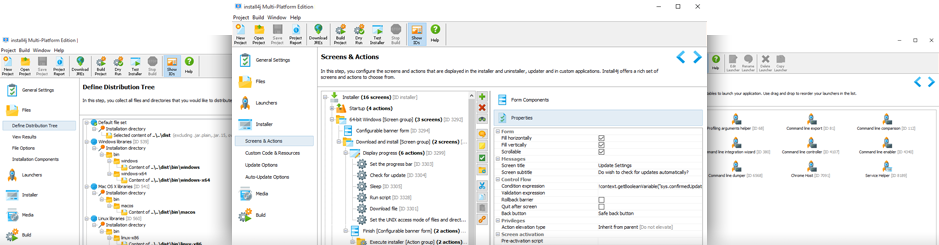
Explore Install4J
Ten views into how JProfiler helps you understand and optimize your Java applications.
Easy Usage
Install4j is intuitive and easy to understand for all the configuration steps, so there is no such worry. Install4j The IDE also provides a natural process for collecting the necessary information. In just a few minutes, you can build a very functional installer. It also has powerful features that you can use freely if needed.
Sophisticated Installer
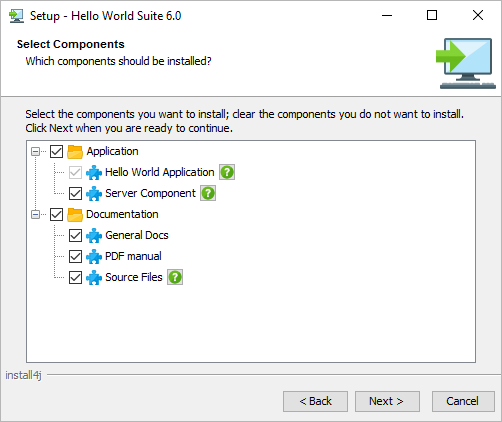
The installer is the first element that users of the application see. The smooth installation can improve user satisfaction and product value at that stage. On the other hand, a low installer quality can ruin the first impression that greatly affects the image of the product. Install4j With it, you can create a sleek installer that can be operated naturally on any platform.
Powerful screen and action construction system
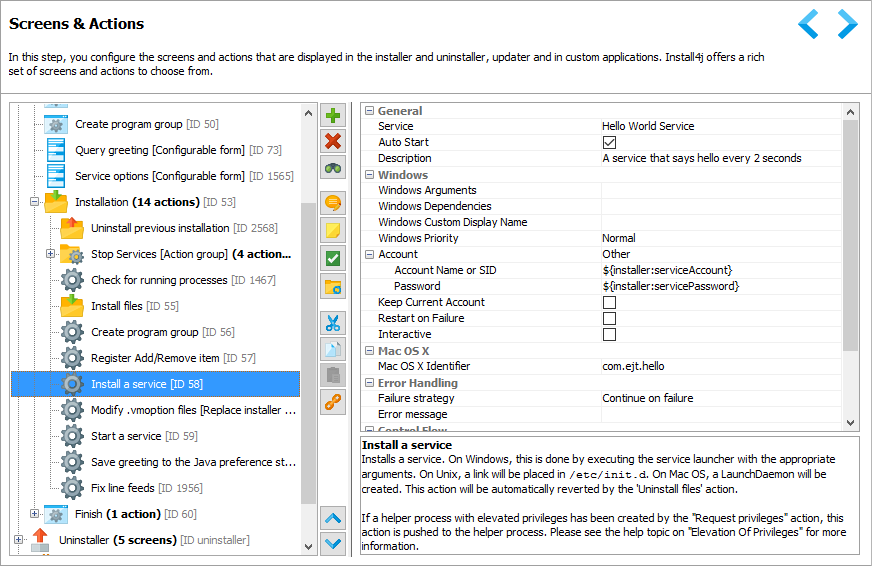
In install4j, you can set the installer and uninstaller screen flow as you like. It provides screens and actions for various use cases, and you can create the actions you want in the IDE of install4j directly. Install4j It is a visual programming system that adds actions to each screen, and is much more powerful than other installer builders.
Automatic Updates and Custom Applications
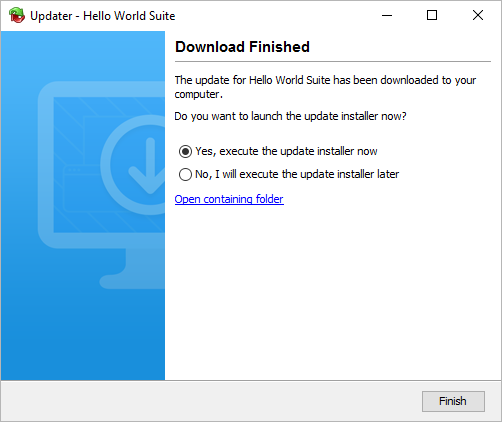
Install4j has several templates for update tools that allow you to create an automatic application solution with a few clicks. The automatic update tool is fully customizable and can support the special requirements required in many scenarios. and install4j It also supports the creation of custom installer applications that are packaged into the application.
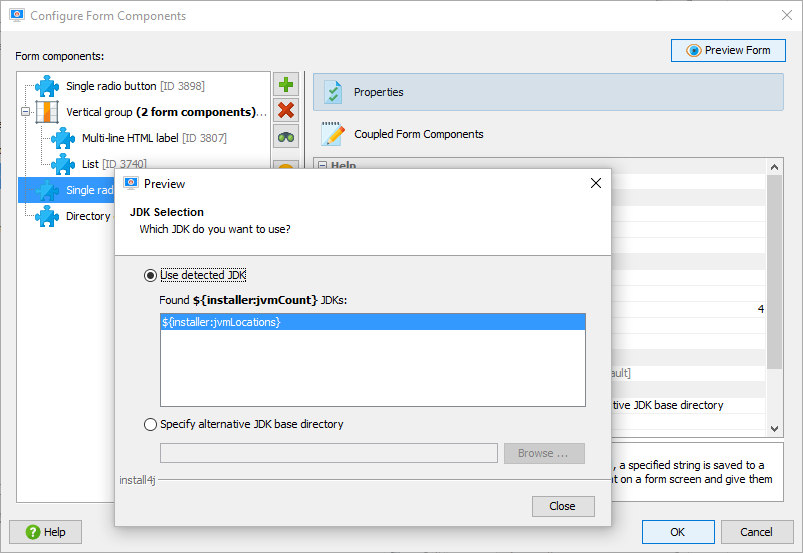
Easily create custom screens
Querying the application specific information from the user does not have to be difficult. In addition to programming your own custom screen, install4j includes a unique concept of a form screen that looks good and easy to set up. It is a powerful variable system that allows you to use the information entered by the user on another screen or in an action. User so easily. You can only create an interface with install4j.
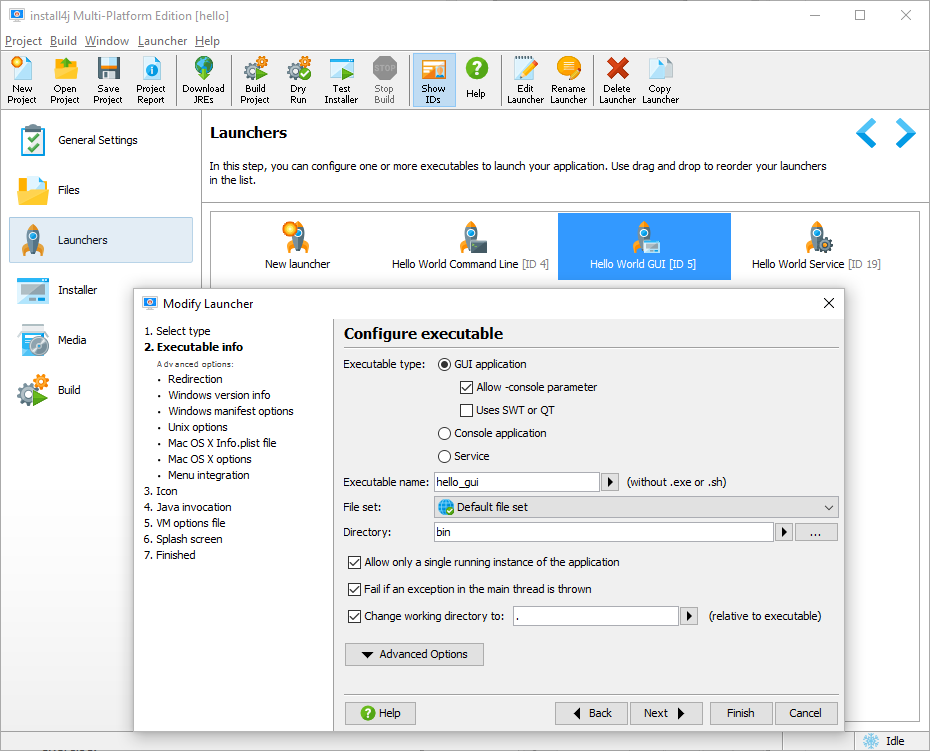
Generate native startup tools
install4j generates a native application launch tool for all supported platforms. Windows executables are compiled with exe4j technology and are state-of-the-art for the Unix platform On Unix shell scripts, application bundles blend seamlessly on macOS. These launch tools provide the most flexible JRE detection features on the market and include many other features of install4j We are integrating.
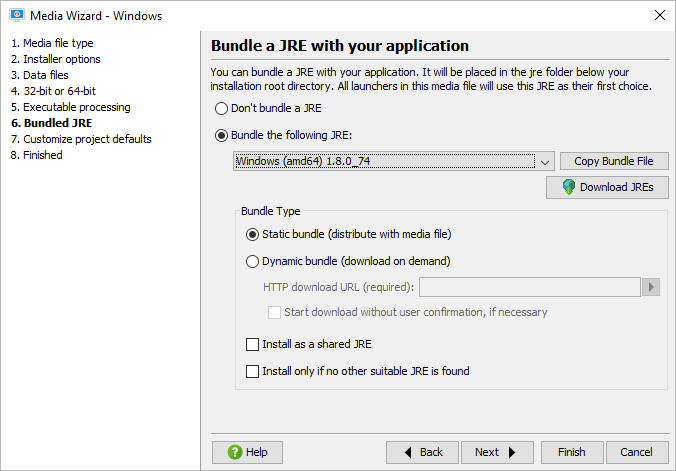
Advanced JRE Bundles
One of the core requirements for Java-enabled installer builders is the ability to bundle JRE with the installer. For features such as on-demand downloads, Pack200 support, and JRE bundle sharing installation, as well as install4j It stands out by making a big difference from other products. Just download the pre-packaged JRE bundle from the IDE in less than a minute.
Excellent cross-platform support
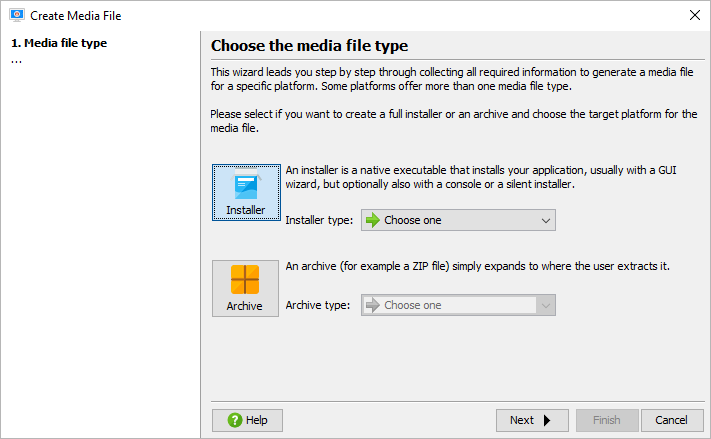
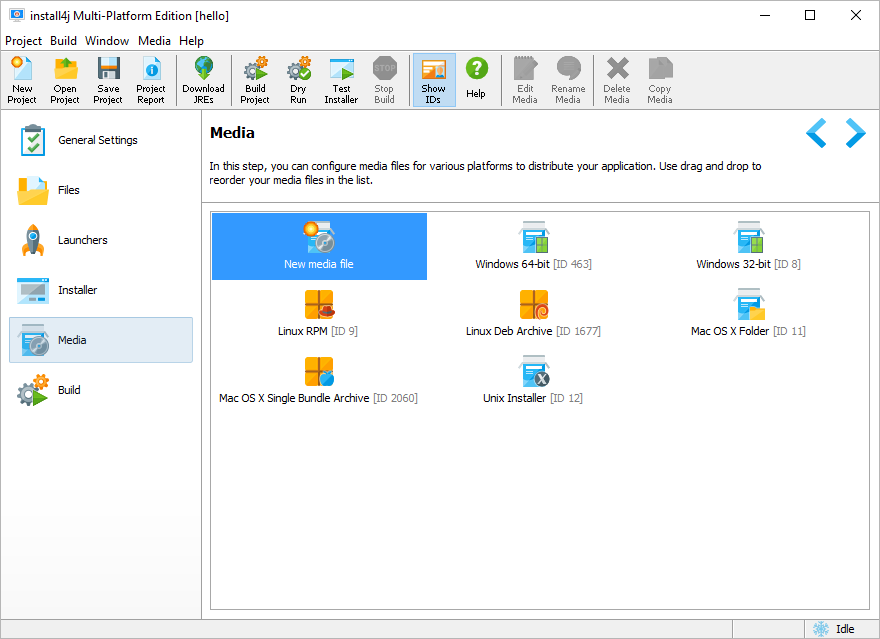
Deploying your application on multiple platforms is a complex task. Install4j can reduce this burden by an order of magnitude. Define the installers common to the entire project, and in the Media Wizard, specify platform-specific information. in the beginning, Even if you only need the Windows version, install4j has a choice of targeting multiple platforms at any time.
Support for internationalization in detail
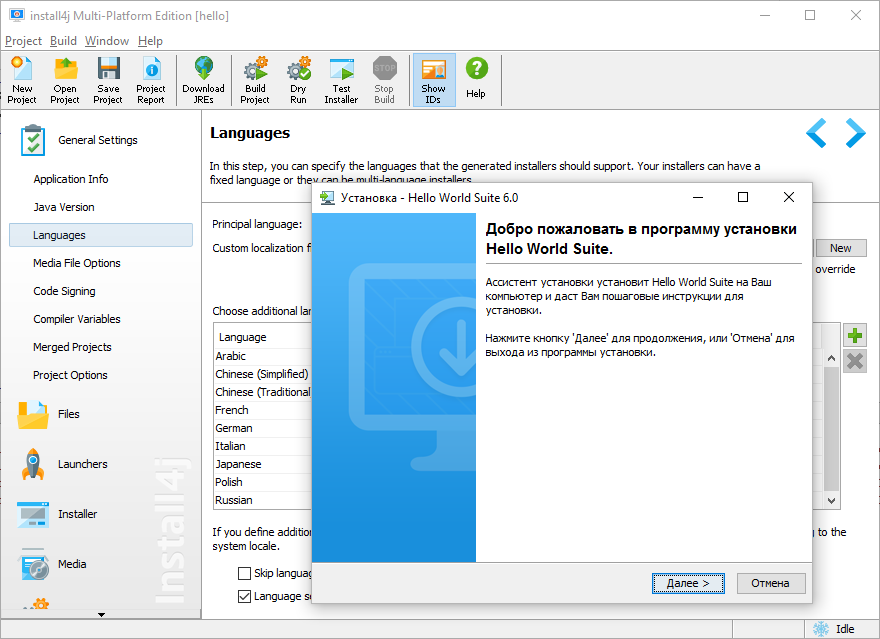
With install4j, you can localize the installer to multiple languages. It provides a simple mechanism that allows you to introduce a large number of installer languages and new keys to your own messages with the installer. You can build a single or multi-language installer that can detect the actual language at runtime.
Extensibility
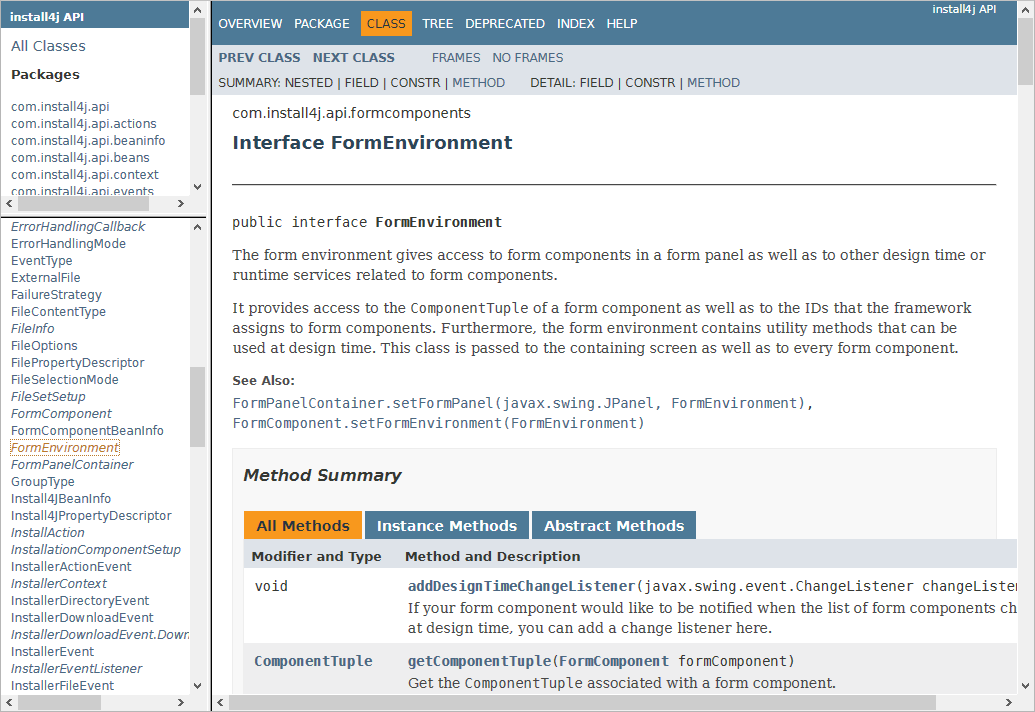
Install4j is extensible, with JavaBeans-based extension model and document API that allows you to add your own actions, screens, and form components to the registry. All the default components are programmed that way. This flexibility allows you to quickly integrate your own code into the installer and create extensions that can be reused in multiple projects.
System requirements
Platforms
| OS | Archetecture | Version | Platforms |
|---|---|---|---|
| 64-bit Windows | x64/AMD64 | Windows 11, 10, 8, and 7 Windows Server 2022, 2019, 2016 and 2012 | - |
| MacOS | Intel and Apple | 10.12 - 12 | - |
| Linux X64 | - | - | Linux x64 |
| Linux and Unix | - | - | All POSIX compliant systems |
 Windows
 macOS
macOS
 Linux
Linux
 Unix
Unix
Get Started Today!
Explore our shop, and if you have any questions feel free to contact us!